
Smart Noter - AI Note Taker
Deep Flow AppsProductivity
4.5500.00 Reviews
- Version
- 2.8.1
- Installs
- 5.00M
- Age Rating
- Everyone
Screenshots
Our Review of Smart Noter - AI Note Taker
 Analysis by Appyee
Before using Smart Noter - AI Note Taker, I’d often leave a meeting with scattered scraps: a half-written note, a reminder I meant to add later, and a useful idea I couldn’t quite remember. This productivity app, made by Deep Flow Apps, is built around turning spoken thoughts into text and helping shape them into notes and next actions. I see its best use not as replacing every notebook or task manager, but as making the moment between hearing something and organizing it less likely to slip away.
Start with a simple capture habit
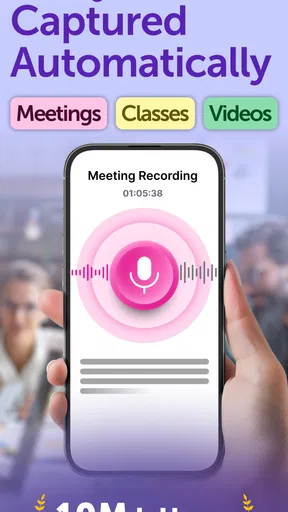
A transcription tool is only helpful if it fits the way you already work. I’d open Smart Noter when typing would interrupt a conversation, walk, or quick brainstorm, then use the resulting text as a starting point rather than treating it as a perfect record. That distinction matters: voice recognition can save effort, but names, specialist terms, and phrases spoken over background noise still deserve a quick check.
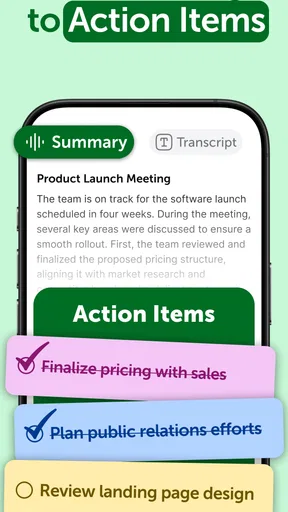
For a useful routine, decide what belongs in the app before you start recording. A short meeting recap, a personal idea, and a task with a deadline are different kinds of information. Giving each a clear purpose makes it easier to review later instead of building a large pile of transcripts. The app’s focus on summaries and next actions makes it especially appealing when the goal is to leave a conversation knowing what to do, not merely to keep every word.
First Impressions and Setup
Getting started with Smart Noter - AI Note Taker is a breeze. After a quick download and installation, which you can find readily available on both Android and iOS stores, you're prompted to sign in or create an account. The interface is clean and modern, making it super user-friendly even if you're not the most tech-savvy person around.
The app gives off a professional vibe while maintaining a casual touch. It’s intuitive, meaning you won’t be spending hours figuring out where everything is. Within minutes, you can start jotting down notes, setting reminders, or even dictating your thoughts into the app.
Capture notes with a clear purpose
The practical advantage of voice-to-text is not just avoiding typing; it is capturing details while your attention is elsewhere. I can picture using it after a conversation with a contractor: dictate the agreed work, the question that still needs answering, and the next step while the details are fresh. Later, a summary can help me scan the main points, while the transcript remains useful for checking what was actually said.
One small workflow choice makes a big difference: speak in short, distinct thoughts rather than dictating a long stream and hoping the AI sorts it all out. Say the decision, pause, then state the action and who needs to follow up. This gives you cleaner material to review and makes it easier to spot an action that a polished summary might otherwise smooth over. I would still verify names, dates, and commitments before relying on a transcript for anything important.
Features That Stand Out
This app is packed with features that make note-taking not just effective but also enjoyable. Here are a few highlights:
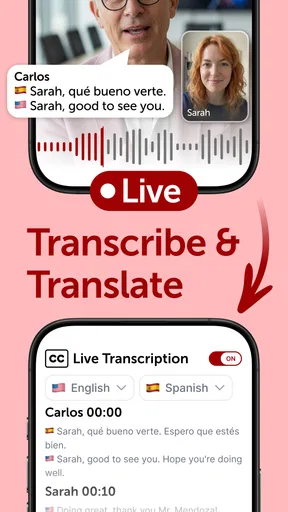
- Voice-to-Text: Feeling too lazy to type? Just speak your mind, and the app’s AI does a stellar job converting your voice into text. It’s surprisingly accurate, even with my accent!
- Organizational Tools: You can create different folders and tags for your notes, so everything stays neat and tidy. No more endless scrolling to find that one important note.
- Reminders and Alerts: Set reminders for important tasks or deadlines. It’s like having a personal assistant nudging you at just the right time.
- AI-Powered Suggestions: The AI learns from your habits and suggests notes or actions that you might need. It’s like it reads your mind!
Turn capture into a repeatable routine
I’d get the most from the app by adding a brief review to an existing habit, such as wrapping up the workday. Open recent notes, correct any transcription mistakes, move useful items into appropriate folders or tags, and turn genuine commitments into reminders. This keeps the capture step quick without asking the app to become a complete project-management system.
For example, after a team check-in, I could dictate a recap on the way back to my desk, then review it before sending a follow-up. The summary would help me orient myself quickly; the transcript could help settle a detail; and the next-action view could remind me to follow through. That is a more dependable chain than assuming that simply recording something means it has been handled.
Folders and tags also work best when they answer different questions. I’d use folders for broad areas that rarely change, such as personal errands and work, and tags for temporary themes like a project or a meeting follow-up. That way, a note can stay in one sensible home while still being easier to find by topic. If you create too many labels at the start, organizing can become more work than capturing.
Performance and Usability
In terms of performance, the app runs smoothly. There were no noticeable lags or crashes during my use, which is always a plus. It’s lightweight, so it doesn’t hog your phone’s resources, leaving plenty of room for other apps and activities.
The usability factor is off the charts. Everything is where it should be, and the learning curve is minimal. You can customize the interface to suit your style, which is a nice touch for those who like their apps looking a certain way.
Where it fits among note-taking alternatives
Compared with a basic notes app, Smart Noter’s appeal is its emphasis on audio capture, summaries, and turning spoken material into possible next steps. A plain notes app may be faster for a shopping list or a sentence you can type in seconds, and it can be a better fit if you want a lightweight place to store text without an AI-centered workflow.
Compared with recording audio alone, transcription gives you something you can scan and search through more easily, but it also introduces the need to check recognition errors. And compared with a dedicated task manager, notes are a more natural place for context and discussion, while a task manager is usually the clearer home for a carefully maintained schedule of assignments. I’d use this app for the raw conversation and its useful takeaways, then keep the rest of my system focused rather than duplicating every task everywhere.
Performance is not the same as certainty
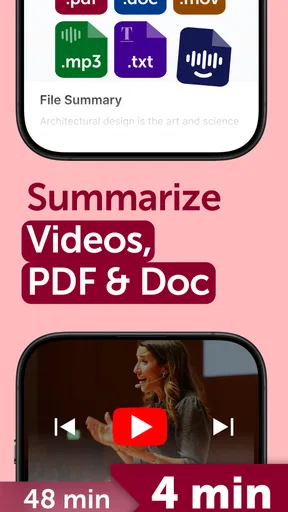
AI summaries can make long material easier to revisit, but they are a shortcut to review, not a substitute for judgment. A summary may put the emphasis on the wrong detail or leave out a qualification that mattered to you. For a casual brainstorm, that may be a minor annoyance; for a client commitment or an important decision, I’d compare the summary with the transcript before acting on it.
There is also a trade-off in using any app that processes personal speech: convenience has to be weighed against the sensitivity of what you capture. I would avoid dictating confidential or highly personal information until I had read the app’s current privacy terms and understood how that material is handled. That is sensible caution for an audio note-taking tool, not a reason to assume the app is unsafe.
Integration and Compatibility
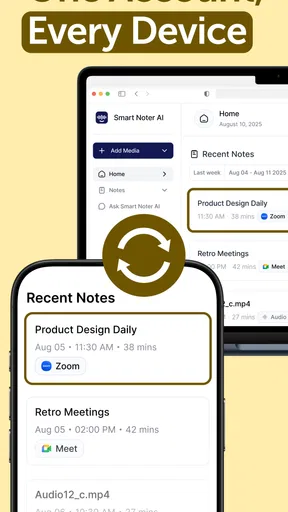
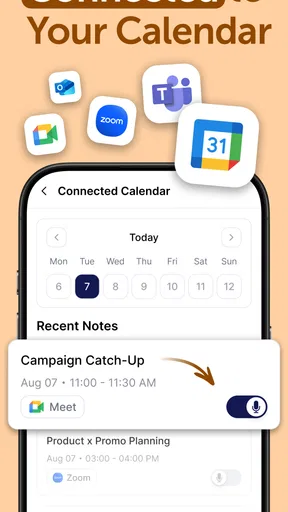
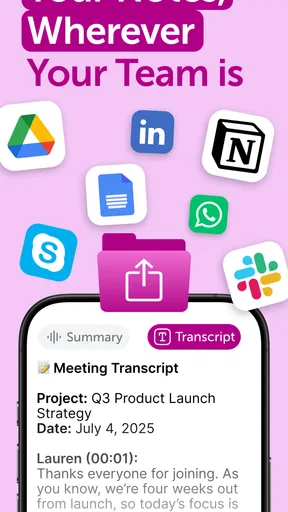
Another huge perk of using Smart Noter is its seamless integration with other apps. You can sync it with your calendar, email, and even cloud storage services, making sure you have access to your notes wherever you go. Whether you’re on your phone or your tablet, everything stays in sync, which is a lifesaver for someone constantly on the move like me.
If you’re into automation, you’ll be glad to know that it supports integrations with tools like IFTTT, allowing you to automate tasks and workflows. It’s these little things that make life a bit easier.
Who should make it part of their system?
I’d recommend trying it if you regularly need to turn spoken discussions, quick ideas, or voice notes into something you can revisit and act on. It may suit students collecting lecture takeaways, freelancers tracking client conversations, or busy people who think more clearly aloud than through a keyboard. The strongest fit is someone willing to spend a little time checking and organizing notes after capture.
It is less compelling if you mainly want a simple typed notebook, dislike reviewing AI-generated text, or need a strict task system with a carefully controlled workflow. It may also be the wrong choice for people who cannot risk transcription errors or who are not comfortable putting sensitive speech into a digital service. In those situations, a plain offline note-taking approach or a dedicated task manager may be the better tool.
Smart Noter is free to start, with in-app purchases ranging from $6.99 to $99.99 per item. It has an average rating of 4.4 from around 65,000 ratings and more than 5 million installs, which suggests broad uptake, though popularity alone cannot tell you whether its workflow suits you. It is rated for Everyone, and version 2.3.1 requires Android 7.0 or later. I’d begin with a few low-stakes notes and see whether the capture-and-review habit genuinely saves time before paying for anything.
Security and Privacy
Let’s talk about security because, let’s face it, no one wants their personal notes leaked. The app promises robust security features, including end-to-end encryption, making sure your data is safe from prying eyes. You can also set up biometric authentication for an extra layer of security.
Privacy policies are transparent, and the app doesn’t sell your data to third parties, which is a huge relief in today’s digital age.
A practical recommendation
Overall, Smart Noter is most convincing as one step in a sustainable productivity system: capture the thought while it is fresh, review what the AI produced, and decide where the real commitment belongs. It is not a replacement for careful listening, a well-kept calendar, or a dedicated project tracker, but it can reduce the friction between a spoken idea and a usable note.
For me, the deciding question is whether voice capture helps you follow through more often than you would with typing. Try it with everyday, low-risk material first, and build a simple review routine before trusting it with important details. If that combination feels natural, Smart Noter - AI Note Taker could earn a useful place in your toolkit; if you prefer direct typing and manual control, a conventional notes app will probably feel more straightforward.
Verdict
Strengths of Smart Noter - AI Note Taker
- AI efficiently organizes notes
- User-friendly interface
- Supports voice-to-text functionality
- Syncs across multiple devices
- Customizable note categories
Limitations of Smart Noter - AI Note Taker
- Limited free version features
- Occasional sync delays
- No offline mode available
- Ads present in free version
- High battery usage on older devices
Other Releases by Deep Flow Apps
View All
Learn English, Spanish: Learna
Education4.6

IQ Masters - Brain Games
Education4.2

Nerd AI - Tutor & Math Helper
Education4.6

Retake AI: Face & Photo Editor
Photography3.7
Similar Picks in This Category
View All
Google Calendar
Google LLC4.6

Google Drive
Google LLC4.3

Google Assistant
Google LLC3.9

Microsoft OneDrive
Microsoft Corporation4.6

Samsung Calendar
Samsung Electronics Co., Ltd.4.1

Microsoft OneNote: Save Notes
Microsoft Corporation4.6
Frequently Asked Questions
What is Smart Noter - AI Note Taker and how does it work?
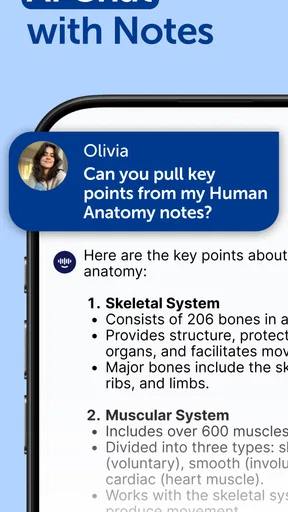
Smart Noter - AI Note Taker is a cutting-edge app designed to revolutionize your note-taking experience by leveraging artificial intelligence. It automatically organizes and categorizes your notes, making it easy to find information quickly. The AI also assists in summarizing long texts, ensuring you capture the essence of your notes efficiently.
Is Smart Noter - AI Note Taker available for both Android and iOS?
Yes, Smart Noter - AI Note Taker is available for download on both Android and iOS platforms. You can find it on the Google Play Store for Android devices and the Apple App Store for iOS devices. Ensure your device meets the app’s technical requirements for optimal performance.
Does Smart Noter offer offline functionality?
Smart Noter - AI Note Taker does provide some offline functionality. While basic note-taking features are accessible without an internet connection, certain AI-powered features, such as real-time text analysis and cloud syncing, require an active internet connection to function effectively.
Is my data secure with Smart Noter - AI Note Taker?
Yes, Smart Noter prioritizes the security and privacy of your data. The app uses encryption to protect your notes and complies with data protection regulations. Additionally, it offers options for secure cloud storage, ensuring your notes are safely backed up and accessible only to you.
Are there any subscription fees or in-app purchases?
Smart Noter - AI Note Taker offers a free version with basic features. However, to unlock the full potential of the app, including advanced AI functionalities and cloud storage options, users can opt for a premium subscription. Details on pricing and subscription tiers are available within the app.
